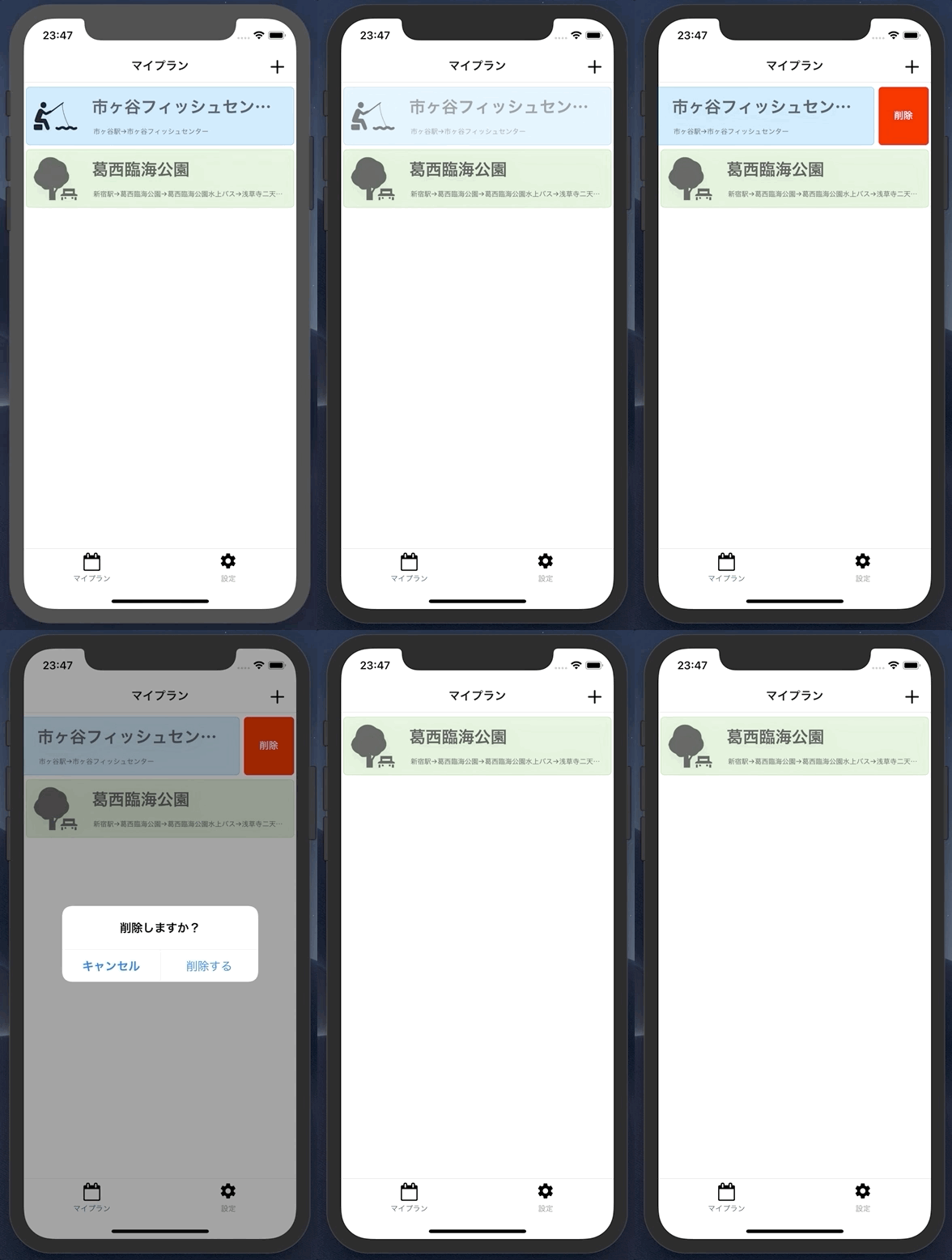
リストから削除したいなーと思いパッケージを探したら、いい感じのパッケージが見つかった
react-native-swipeout
アプリではよくあるUIで、アイテムを横にスワイプすると削除ボタンがでてくるやつ
サンプルコード
import Swipeout from 'react-native-swipeout';

// Buttons
var swipeoutBtns = [
  {
    text: 'Button'
  }
]

// Swipeout component
<Swipeout right={swipeoutBtns}>
  <View>
    <Text>Swipe me left</Text>
  </View>
</Swipeout>
どうやら、アイテムに対してラップすれば、いいっぽい
実装
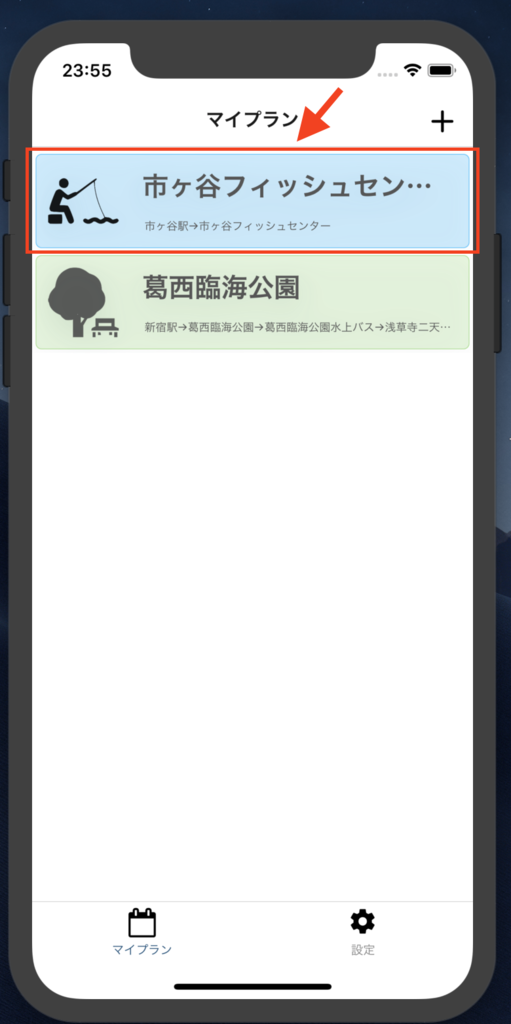
今回のアプリだと↓のところでスワイプして削除ボタンを表示させる感じ
コーディング
こんな感じでできた。めっちゃ簡単
import React, { Component } from "react";
import {
  View,
  Text,
  FlatList,
  RefreshControl,
  TouchableOpacity,
  Alert
} from "react-native";
import Swipeout from "react-native-swipeout";
import Card, { ItemProps as CardProps } from "../../molecules/Home/Card";

export interface Props {
  data: CardProps[];
  loading: boolean;
  onSchedule: (id: string, title: string) => void;
  onDelete: (id: string) => void;
}

export default class extends Component<Props> {
  renderItem({ item }: { item: CardProps }) {
    var swipeoutBtns = [
      {
        backgroundColor: "#fff",
        component: (
          <DeleteButton
            onPress={() => {
              Alert.alert(
                "削除しますか?",
                "",
                [
                  {
                    text: "キャンセル",
                    style: "cancel"
                  },
                  {
                    text: "削除する",
                    onPress: () => {
                      this.props.onDelete(item.id);
                    }
                  }
                ],
                { cancelable: false }
              );
            }}
          />
        )
      }
    ];

    return (
      <Swipeout right={swipeoutBtns} backgroundColor="#fff">
        <Card {...item} onPress={this.props.onSchedule} />
      </Swipeout>
    );
  }

  render() {
    return (
      <View>
        <FlatList
          refreshControl={<RefreshControl refreshing={this.props.loading} />}
          refreshing={this.props.loading}
          data={this.props.data}
          keyExtractor={item => String(item.id)}
          renderItem={this.renderItem.bind(this)}
          contentContainerStyle={{ paddingBottom: 300 }}
        />
      </View>
    );
  }
}

interface DeleteButtonProps {
  onPress: () => void;
}

const DeleteButton = (props: DeleteButtonProps) => (
  <TouchableOpacity onPress={props.onPress}>
    <View
      style={{
        margin: 3,
        borderRadius: 5,
        borderWidth: 0.5,
        borderColor: "red",
        justifyContent: "center",
        alignItems: "center",
        backgroundColor: "red",
        height: 80
      }}
    >
      <Text style={{ color: "#fff", fontWeight: "bold" }}>削除</Text>
    </View>
  </TouchableOpacity>
);
動作
満足した